Foxtel Go Not Working? Australia Login, Casting, Buffering and Device Fix
Fix Foxtel Go problems in Australia: app not opening, login errors, casting to TV, buffering, supported devices and mobile playback checks. This guide helps you check the device path before changing your account or router.
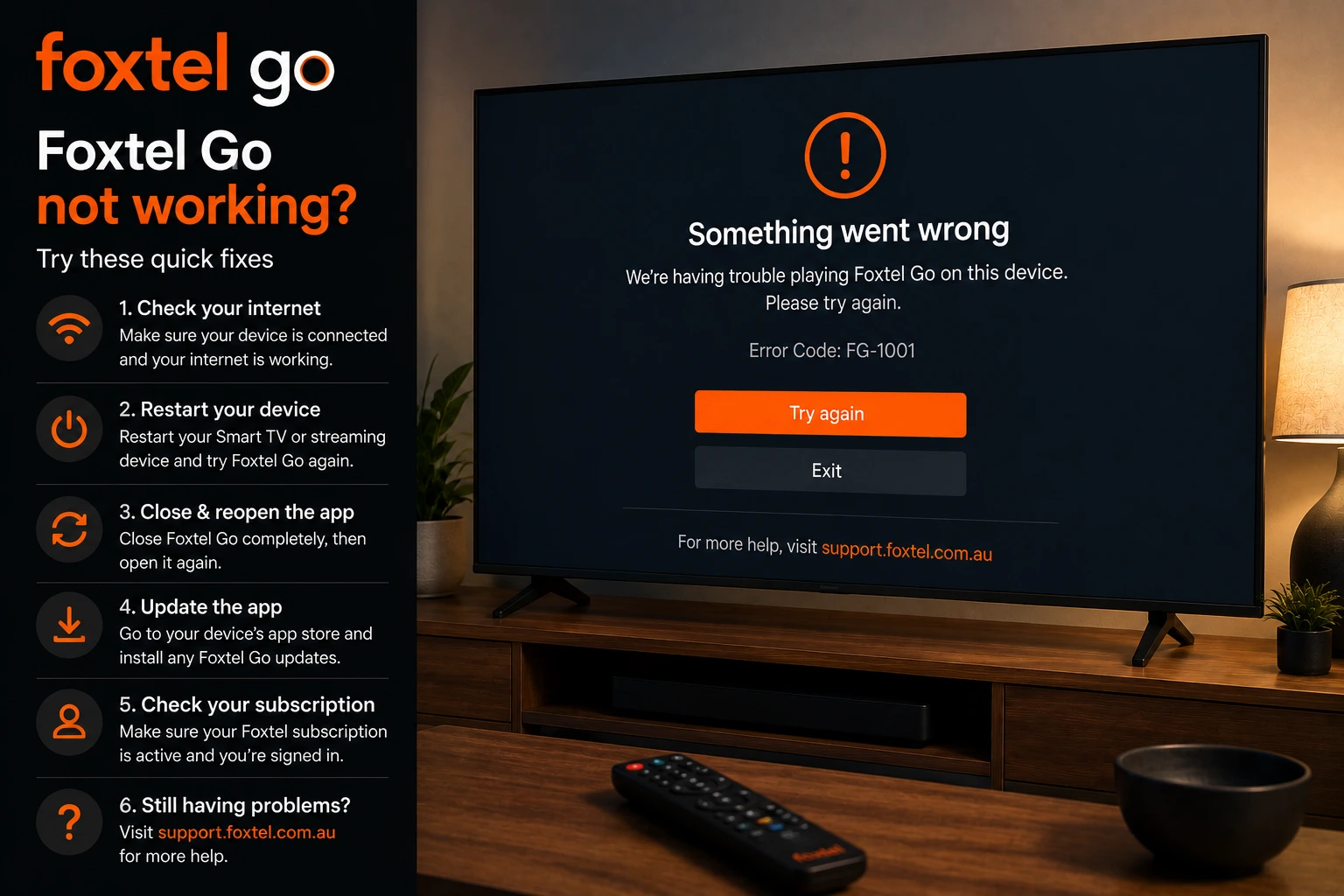
Why Foxtel Go can fail in Australia
Foxtel Go is often used on phones, tablets and browsers, then cast to a bigger screen. That means a problem can come from the mobile app, the browser, the Foxtel account, Wi-Fi, the casting device or the TV input. Because several devices are involved, the best fix is to test one step at a time.
First confirm whether Foxtel Go plays on the original device. If it plays on the phone but not on the TV, the issue is casting. If it does not play on the phone either, focus on login, device support, app updates, connection and Foxtel service status.
Check supported Foxtel Go devices
Foxtel’s support page for Foxtel Go lists supported device categories including iOS, Android, PC browsers and Mac browsers, with minimum software and browser requirements. If your device is too old, playback can fail even when your internet is fine.
Update the operating system where possible. On old phones and tablets, storage pressure can also make streaming apps crash. Remove unused apps, restart the device and test Foxtel Go again before changing network settings.
Foxtel Go app not opening or crashing
- Force close Foxtel Go.
- Restart the phone, tablet or computer.
- Update the Foxtel Go app.
- Check device operating system updates.
- Switch from mobile data to Wi-Fi or Wi-Fi to mobile data for a quick comparison.
- Sign out and sign in again if the app opens but content will not play.
- Reinstall the app only after confirming your login details.
Foxtel Go casting not working
Foxtel support explains that casting requires the Foxtel Go app downloaded on your device plus Apple TV, a Google Chromecast connected to the TV, or a TV with Google Chromecast built in. Your phone/tablet and the TV device need to be on the correct network path.
- Make sure phone and Chromecast/Apple TV are on the same Wi-Fi network.
- Restart the Chromecast or Apple TV.
- Update the Foxtel Go app.
- Check the TV input and HDMI connection.
- Test casting another app to confirm casting works.
- Disable VPN while testing.
If another app casts but Foxtel Go does not, focus on Foxtel Go app updates, account session and app-specific casting requirements. If nothing casts, focus on Chromecast, Apple TV, Wi-Fi or router settings.
Foxtel Go buffering and slow loading
Buffering can happen even on a fast NBN plan if the device is far from the router, the 2.4 GHz network is congested, other devices are downloading, or the casting device is old. Video playback needs stable throughput, not only a good speed test result.
Move closer to the router, use 5 GHz Wi-Fi if possible, restart the router and reduce other streaming or downloads during live sport. If you are casting, remember that both the phone and casting device need a stable connection.
Browser playback on PC or Mac
If you use Foxtel Go through a browser, test a supported browser and update it. Disable heavy extensions, ad blockers or privacy tools temporarily while testing. Also try a private window to rule out old cookies. If one browser fails but another works, the issue is likely browser-specific.
Login or account problems
If Foxtel Go asks you to sign in repeatedly, confirm your account details through the official Foxtel pathway. Do not use third-party “unlock” pages. Password managers, old saved passwords and multiple household devices can also create confusion, so test slowly and keep the official login page open on one device.
Compare with other Australian streaming fixes
If Foxtel Go buffers while Kayo, BINGE, Stan or SBS On Demand also struggle, use the Australian NBN buffering guide. If only casting fails, compare with the Kayo Chromecast guide because the same Wi-Fi and casting checks often apply.
Safety note
Use official Foxtel Go apps and official Foxtel support for account and subscription questions. OzViewTV is independent and cannot access your Foxtel package, billing or login details.
Test Your Device Before You Commit
Message OzViewTV with your TV model, streaming device and the app that is failing. Check your setup first, then choose a plan only if it works well for you.
Official pages to check
For account, subscription, rights, device and app availability questions, always confirm details with the official service before making major changes to your TV, router or subscription.
Frequently asked questions
Why is Foxtel Go not working on my device?
Common causes include unsupported device software, app crashes, login/session issues, weak internet, outdated app version or temporary buffering/loading problems.
Which devices support Foxtel Go?
Foxtel support lists iOS, Android, PC browsers and Mac browsers, with minimum software versions and browser requirements.
Can I cast Foxtel Go to my TV?
Foxtel support explains casting with the Foxtel Go app plus Apple TV, Google Chromecast connected to the TV, or a TV with Chromecast built in.
Why does Foxtel Go buffer?
Buffering can come from weak Wi-Fi, shared NBN bandwidth, device storage, app cache or the casting path between phone and TV.
Is OzViewTV official Foxtel support?
No. OzViewTV is independent. Use Foxtel support for account, package and subscription questions.
Need Help Checking Your Australian Setup?
Send your device model, app name and the exact error on WhatsApp. OzViewTV can help you test the setup before you rely on it for live sport or family TV.