Kayo Sports Not Working? Australia Smart TV, Chromecast and Fire TV Fix Guide
Fix Kayo Sports issues in Australia: Chromecast problems, Smart TV playback, buffering, login, app updates and live sport setup. This guide is written for Australian viewers who want a practical device-first fix before changing subscriptions or replacing hardware.
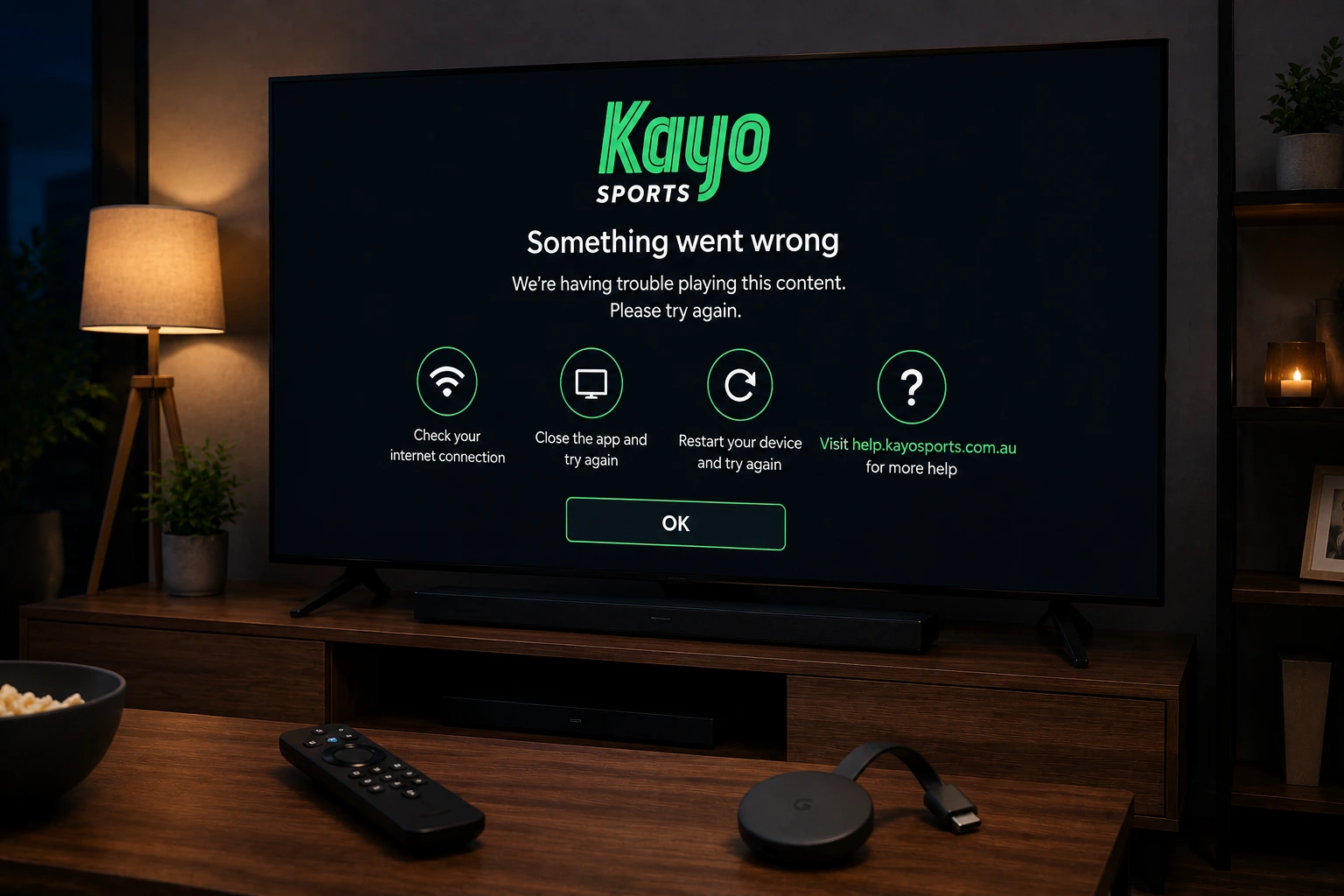
Why Kayo Sports can fail during live sport
Kayo Sports is built around live sport, which means problems feel more urgent than ordinary on-demand streaming. Buffering during a match, casting failure before kick-off, or a black screen at the start of a race can come from the app, the device, the home network or device support.
Do not change everything at once. First confirm that Kayo works on another device, then check your subscription and supported device, then troubleshoot the TV or Chromecast. This avoids wasting time on Wi-Fi changes when the real issue is the app session, or deleting apps when the real issue is the network.
Check supported devices first
Kayo provides a supported-device list and notes that product features are not available on every device. This is important for Australian viewers because older TVs or old Chromecast models may not deliver the same experience as newer devices.
If the Kayo app is not available on your TV, use a supported streaming device instead of trying unofficial workarounds. For match nights, reliability matters more than convenience.
Test Your Device Before Match Night
Ask OzViewTV for a free test, check your Smart TV, Fire TV, Android TV, phone or tablet, then choose a plan only if the setup works well for you.
Kayo Chromecast problems
Kayo support recommends Chromecast Ultra models or later, Chromecast with Google TV and Chromecast 3rd generation or similar Android TV capability for the best streaming experience. It also notes that Chromecast 1st Generation is no longer supported. If casting fails, your Chromecast generation is one of the first things to check.
Make sure the phone and Chromecast are on the same Wi-Fi network, update the Kayo app, update Google Home or Chrome if casting from a browser, and restart both the casting device and the TV device.
- Check your Chromecast generation.
- Connect phone and Chromecast to the same Wi-Fi network.
- Restart Chromecast and the phone.
- Update the Kayo app.
- Try casting another app to confirm casting works.
- Use the native Kayo app on Chromecast with Google TV if available.
Kayo on Chromecast with Google TV
Kayo’s help page explains how to install Kayo Sports on Chromecast with Google TV from the Apps menu and notes that you need an existing active subscription to use it on that device. If the app installs but login fails, check your account on a phone or browser first.
If the app keeps crashing on Chromecast with Google TV, restart the device, clear app cache if available, check storage space and reinstall only after confirming your login credentials.
Fix Kayo buffering on NBN and Wi-Fi
Kayo live sport needs a stable connection, not just a fast speed-test result. Buffering can be caused by weak Wi-Fi, router congestion, other devices downloading updates, old streaming sticks, overheating, or high traffic during big events.
For the main TV, use Ethernet if possible. If you must use Wi-Fi, use 5 GHz near the router and reduce other network traffic during live sport. Restart the router earlier in the day, not five minutes before kick-off.
Smart TV and Fire TV troubleshooting
If Kayo opens but the stream fails on a Smart TV or Fire TV, update the app, restart the device and test another live stream or replay. On Fire TV, check storage and clear app cache before reinstalling. On Smart TVs, check firmware updates and restart the TV fully instead of leaving it in standby mode.
Match-day setup for Australian sports fans
Open Kayo 30 to 60 minutes before the event. Confirm your login, test the live channel, pause big downloads and keep a backup device ready. For AFL, NRL, cricket, F1 or football, a small setup check before the event can prevent a missed first half, first over or opening lap.
Safety note
Use official Kayo apps and official support pages for account, subscription and device questions. Avoid unknown APKs, fake “free Kayo” pages and unofficial sports streams. They can be unreliable and unsafe. OzViewTV is an independent setup guide and is not official Kayo support.
Official pages to check
For account, subscription, rights, device and app availability questions, always confirm details with the official service before making major device changes.
Frequently asked questions
Why is Kayo not working on my TV?
Common causes include unsupported devices, outdated apps, weak Wi-Fi, account problems, full device storage or temporary live-stream issues.
Why won’t Kayo cast to Chromecast?
Check your Chromecast generation, make sure both devices are on the same Wi-Fi network, update the app and restart both devices.
Is Chromecast 1st Generation supported by Kayo?
Kayo support notes that Chromecast 1st Generation is no longer supported.
Why does Kayo buffer during live sport?
Live sport can expose weak Wi-Fi, router congestion, overloaded devices or unstable NBN connections. Ethernet or strong 5 GHz Wi-Fi usually helps.
Is OzViewTV official Kayo support?
No. OzViewTV is independent. Use Kayo support for account and subscription issues.
Need Help Checking Your Device?
Message OzViewTV on WhatsApp with your device model and the app that is failing. We can help you check your setup before choosing a plan.